Default mode
Local-first
Maximus Prime Software
A system-wide voice workspace that turns speech into polished text with verified local GPU acceleration and an optional, independently configured AI refinement stage.
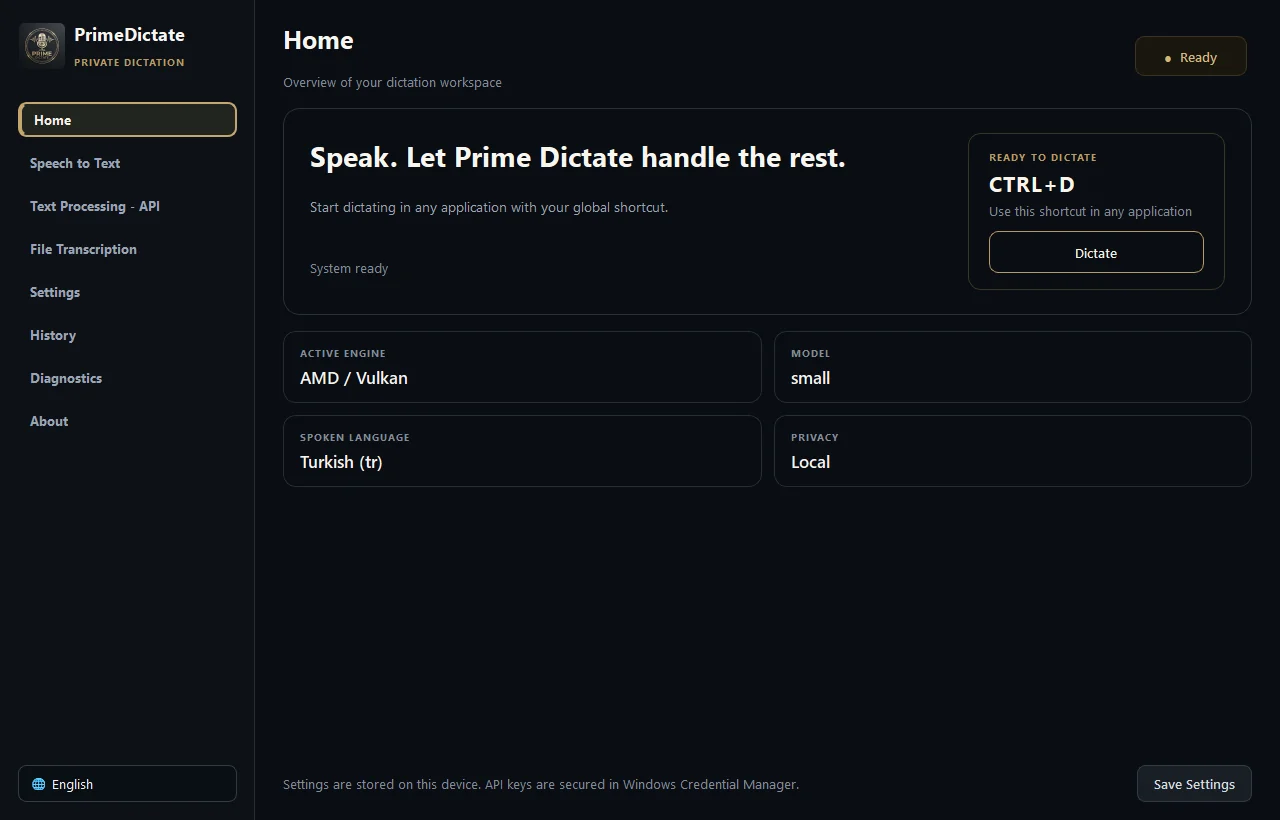
Default mode
Local-first
Local engines
CPU · CUDA · Vulkan
Cloud STT
3 providers
Access
Global hotkey
Built for daily flow
Choose Toggle or Push-to-Talk, watch the unobtrusive floating control, and keep working while transcription finalizes safely in the background.

Two-stage architecture
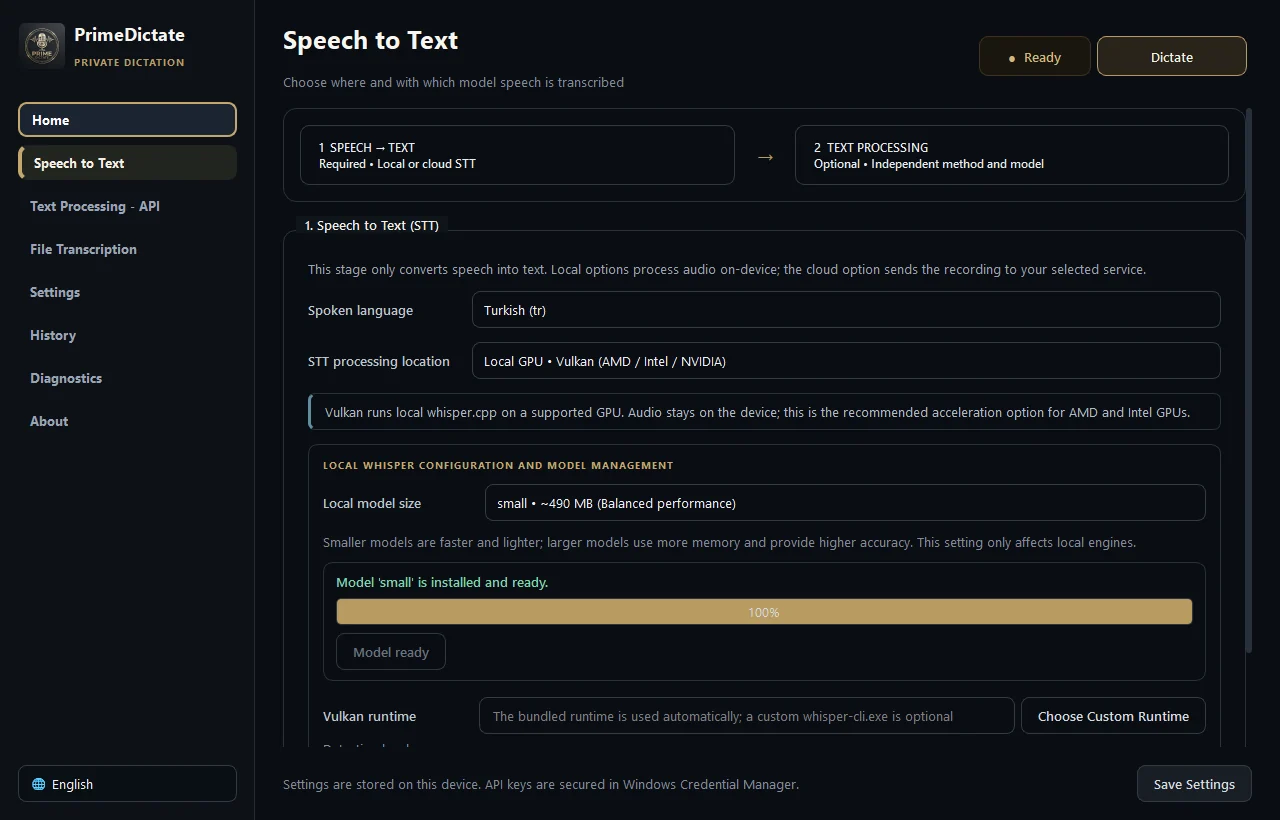
PrimeDictate does not lock speech recognition and text processing to one vendor. Choose the best engine for each stage—or keep the complete workflow on your device.
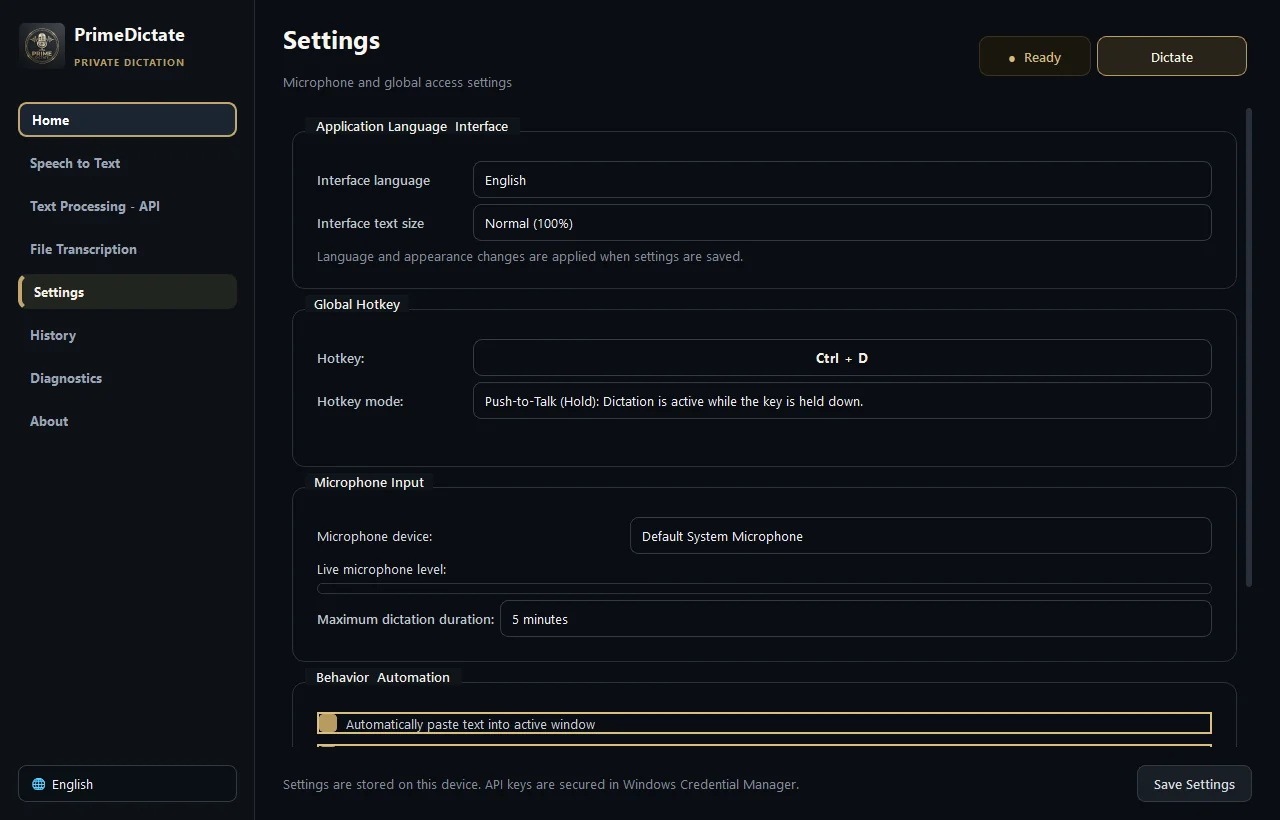
Start from any Windows application with a configurable toggle or hold-to-talk shortcut.
Use verified Vulkan, NVIDIA CUDA, local CPU, or an explicitly selected cloud STT model.
Apply local rules or a separate AI model, then safely return the text to the original window.
Flexible inference
Local engines prioritize privacy and predictable cost. Cloud engines remain available when portability or model capability matters more.
Bundled whisper.cpp v1.9.2 runtime with SHA-256 integrity checks and runtime GPU detection.
faster-whisper acceleration through CUDA and cuDNN for supported NVIDIA hardware.
Local int8 inference for Windows systems without a compatible discrete GPU.
Explicit Groq, OpenAI Transcribe, or Gemini Audio selection with no silent upload path.
Core Capabilities
Configurable Push-to-Talk or Toggle dictation in any Windows application
SHA-256-verified whisper.cpp Vulkan runtime for compatible AMD, Intel, and NVIDIA GPUs
NVIDIA CUDA, local multi-core CPU, or optional Groq, OpenAI, and Gemini transcription
Independent transcription and post-transcription cleanup providers and models
Rule-based local cleanup plus optional Ollama, LM Studio, Gemini, Groq, OpenAI, and Grok processing
Safe active-window paste with optional clipboard restoration
Chunked, cancellable audio/video transcription with TXT, SRT, VTT, and JSON exports
Local-first defaults with explicit permission required for cloud fallback
API credentials protected by Windows Credential Manager
Searchable local transcript history that can be disabled
Floating recording overlay, state-aware system tray menu, and startup integration
Adaptive voice detection, redacted rotating logs, and privacy-safe diagnostic bundles
Privacy boundary
Local processing is the default. Cloud services are visible choices, credentials remain protected by Windows, and fallback uploads require explicit permission.
Product
3 views · Swipe or use the controls
1 / 3