01
Native WinUI 3 interface with Mica, Acrylic, light, dark, and system color modes
Native Windows desktop experience
A fast, polished WinUI 3 dock that keeps apps, files, and folders close — with real Windows workspace reservation, live localization, and reliable multi-monitor behavior.

Designed around your desktop
Every interaction is built to feel at home on Windows, from Shell icons and keyboard focus to fullscreen-aware placement.
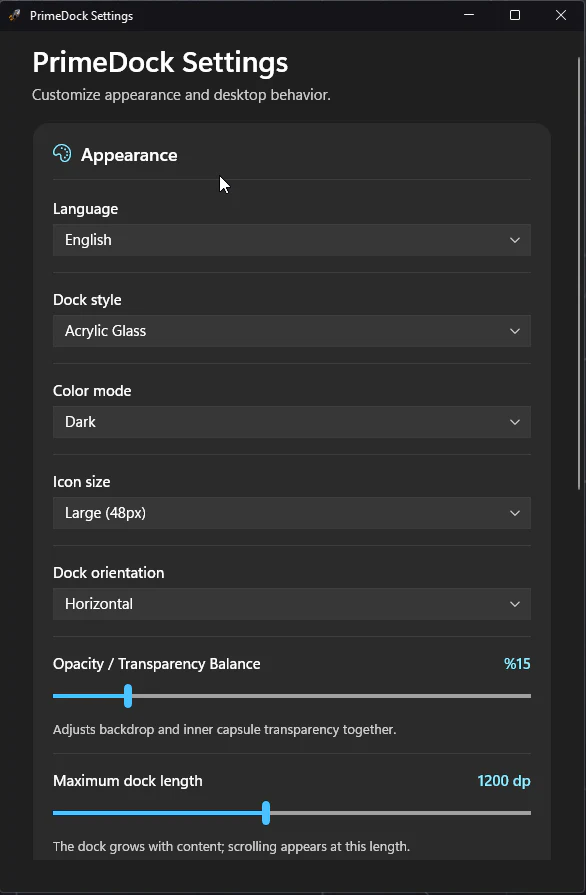
Native WinUI 3 interface with Mica, Acrylic, light, dark, and system color modes
Optional Windows AppBar workspace reservation on all four screen edges
Automatic horizontal or vertical orientation based on the snapped edge
Multi-monitor and per-monitor DPI-aware placement with safe display recovery
Live Turkish, English, Simplified Chinese, and system-language switching
High-fidelity Shell icons for Win32, Store, Steam, files, folders, .lnk, and .url targets
Drag files and shortcuts into the dock, then reorder icons directly
Launch-or-focus behavior with Shift-click support for a new application instance
Fullscreen-aware topmost behavior for games, video, and presentation workflows
Keyboard navigation with Tab, Enter, Space, screen-reader names, and reduced-motion support
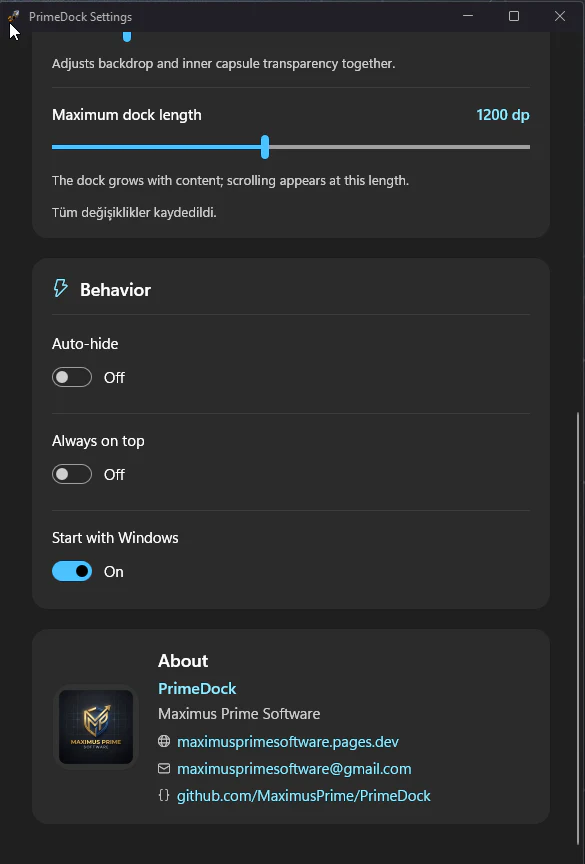
Twelve visual profiles, five icon sizes, opacity control, and maximum-length management
Atomic settings persistence with backup recovery, logging, and single-instance lifecycle
Professional workspace integration
PrimeDock negotiates the real work area through the Windows AppBar API. Maximized windows stop at the dock, fullscreen apps retain priority, and floating mode remains completely free.
Uses SHAppBarMessage for a system-managed work area on the selected monitor and edge.
Preserves desktop icon placement when Explorer reacts to horizontal work-area changes.
Games, videos, and presentations can use the complete display without fighting the dock.
Live personalization
Themes, opacity, icon size, orientation, and language update while PrimeDock stays open. Turkish, English, Simplified Chinese, and the Windows system language are supported.
Centralized observable resources update open windows, menus, tooltips, titles, and runtime messages without restarting.
Requests the appropriate Windows icon representation for each target and dock size while retaining alpha quality.
Keeps dock geometry inside the active display and recovers gracefully when monitors or DPI settings change.
Writes settings atomically, retains a known-good backup, and restores user state after interrupted writes.
PrimeDock in action
Horizontal and vertical layouts, compact surfaces, and the complete settings experience.
Product
5 views · Swipe or use the controls
1 / 5
Engineering
A clean Core/App separation keeps geometry and state testable while Windows integration remains isolated behind focused services.